Makefiles for ML Pipelines: Reproducible Builds That Scale
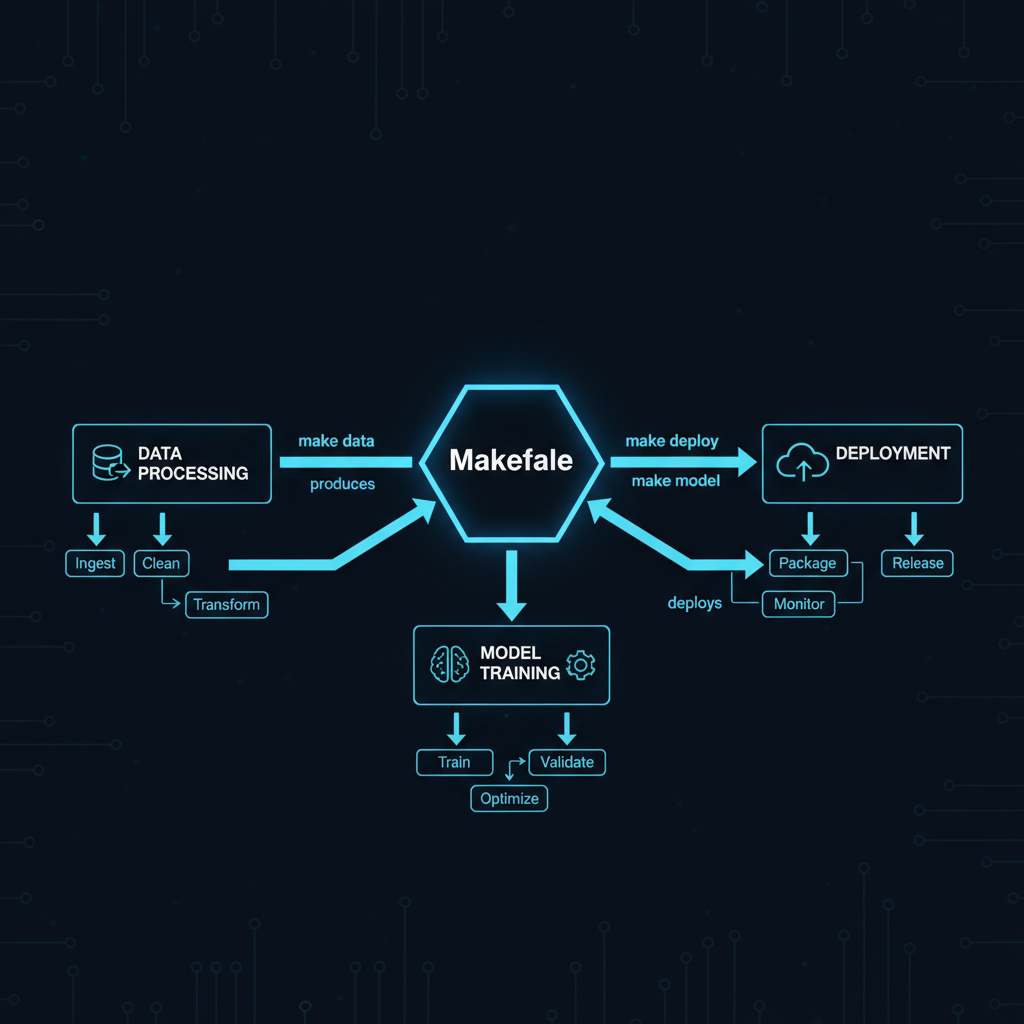
In the era of complex ML pipelines, where data processing, model training, and deployment involve dozens of interdependent steps, Makefiles provide a battle-tested solution for orchestration. While newer tools promise simplicity through abstraction, Makefiles offer transparency, portability, and power that modern AI systems demand.
Why Makefiles Excel in AI/ML Workflows#
Modern ML projects involve intricate dependency chains:
- Raw data → Cleaned data → Features → Training → Evaluation → Deployment
- Model artifacts depend on specific data versions
- Experiments must be reproducible across environments
- Partial re-runs save computational resources
Makefiles handle these challenges elegantly through their fundamental design: declarative dependency management with intelligent rebuild detection.
Core Concepts for ML Applications#
Dependency-Driven Execution#
# ML Pipeline Example
data/processed/features.parquet: data/raw/dataset.csv scripts/feature_engineering.py
	python scripts/feature_engineering.py \
		--input data/raw/dataset.csv \
		--output data/processed/features.parquet
	@echo "Features extracted: $(shell date)"

models/trained/model.pkl: data/processed/features.parquet config/hyperparameters.yaml
	python scripts/train_model.py \
		--features data/processed/features.parquet \
		--config config/hyperparameters.yaml \
		--output models/trained/model.pkl
	@echo "Model training completed with $(shell grep 'learning_rate' config/hyperparameters.yaml)"

evaluation/metrics.json: models/trained/model.pkl data/processed/test_features.parquet
	python scripts/evaluate.py \
		--model models/trained/model.pkl \
		--test-data data/processed/test_features.parquet \
		--output evaluation/metrics.json
This structure ensures that:
- Changes to hyperparameters trigger retraining
- Feature engineering updates propagate through the pipeline
- Only affected stages rebuild, saving GPU hours
Pattern Rules for Scalability#
# Process multiple datasets with one rule
data/processed/%.parquet: data/raw/%.csv
	python scripts/process_data.py --input $< --output $@

# Train multiple model architectures
models/%.onnx: configs/%.yaml data/processed/features.parquet
	python scripts/train_$(basename $*).py \
		--config $< \
		--features data/processed/features.parquet \
		--output $@
Parallel Execution for Multi-Model Training#
# Define model variants
MODELS := resnet50 efficientnet transformer
MODEL_FILES := $(patsubst %,models/%.onnx,$(MODELS))

# Train all models in parallel with -j flag
all_models: $(MODEL_FILES)
	@echo "All models trained: $(MODELS)"

# Make -j4 will train 4 models concurrently
Real-World ML Pipeline Example#
Here’s a production pipeline that handles data versioning, model training, and deployment:
# Configuration
PYTHON := python3.10
DATA_VERSION := $(shell date +%Y%m%d)
MODEL_VERSION := v2.1.0
DOCKER_REGISTRY := gcr.io/myproject

# Directories
DATA_DIR := data
MODEL_DIR := models
DEPLOY_DIR := deploy

# Data Pipeline
.PHONY: data
data: $(DATA_DIR)/processed/train.parquet $(DATA_DIR)/processed/test.parquet

$(DATA_DIR)/raw/dataset.csv:
	aws s3 cp s3://ml-datasets/raw/$(DATA_VERSION).csv $@

$(DATA_DIR)/processed/%.parquet: $(DATA_DIR)/raw/dataset.csv
	$(PYTHON) scripts/split_and_process.py \
		--input $< \
		--output-dir $(DATA_DIR)/processed \
		--split $*

# Training Pipeline
.PHONY: train
train: $(MODEL_DIR)/$(MODEL_VERSION)/model.onnx

$(MODEL_DIR)/$(MODEL_VERSION)/model.onnx: $(DATA_DIR)/processed/train.parquet config/training.yaml
	mkdir -p $(MODEL_DIR)/$(MODEL_VERSION)
	$(PYTHON) scripts/train.py \
		--data $< \
		--config config/training.yaml \
		--output $@ \
		--mlflow-experiment $(MODEL_VERSION)
	# Log to MLflow
	$(PYTHON) scripts/log_to_mlflow.py --model $@ --version $(MODEL_VERSION)

# Evaluation
.PHONY: evaluate
evaluate: evaluation/report_$(MODEL_VERSION).html

evaluation/report_$(MODEL_VERSION).html: $(MODEL_DIR)/$(MODEL_VERSION)/model.onnx $(DATA_DIR)/processed/test.parquet
	$(PYTHON) scripts/evaluate.py \
		--model $< \
		--test-data $(DATA_DIR)/processed/test.parquet \
		--output $@

# Deployment
.PHONY: deploy
deploy: $(DEPLOY_DIR)/model_server_$(MODEL_VERSION).tar

$(DEPLOY_DIR)/model_server_$(MODEL_VERSION).tar: $(MODEL_DIR)/$(MODEL_VERSION)/model.onnx
	docker build -t $(DOCKER_REGISTRY)/model-server:$(MODEL_VERSION) \
		--build-arg MODEL_PATH=$< \
		-f Dockerfile.serving .
	docker save $(DOCKER_REGISTRY)/model-server:$(MODEL_VERSION) > $@
	docker push $(DOCKER_REGISTRY)/model-server:$(MODEL_VERSION)

# Utilities
.PHONY: clean
clean:
	rm -rf $(DATA_DIR)/processed/*
	rm -rf $(MODEL_DIR)/$(MODEL_VERSION)/*
	rm -rf evaluation/*

.PHONY: test
test:
	pytest tests/ -v --cov=scripts --cov-report=html

# Help target
.PHONY: help
help:
	@echo "ML Pipeline Makefile"
	@echo "===================="
	@echo "Targets:"
	@echo "  data      - Process raw data into features"
	@echo "  train     - Train model with current config"
	@echo "  evaluate  - Generate evaluation report"
	@echo "  deploy    - Build and push Docker container"
	@echo "  test      - Run unit tests"
	@echo "  clean     - Remove generated files"
	@echo ""
	@echo "Variables:"
	@echo "  DATA_VERSION=$(DATA_VERSION)"
	@echo "  MODEL_VERSION=$(MODEL_VERSION)"
Integration with Modern ML Tools#
Working with DVC (Data Version Control)#
# Combine Make with DVC for data versioning
data/raw/dataset.csv:
	dvc pull data/raw/dataset.csv.dvc

.PHONY: update-data
update-data:
	dvc add data/raw/dataset.csv
	git add data/raw/dataset.csv.dvc
	git commit -m "Update dataset $(DATA_VERSION)"
Kubernetes Job Orchestration#
# Submit distributed training job
.PHONY: train-distributed
train-distributed:
	kubectl apply -f k8s/training-job.yaml
	kubectl wait --for=condition=complete job/model-training --timeout=3600s
	kubectl cp model-training-pod:/model/output ./models/distributed/
Integration with MLflow#
# Track experiments with MLflow
MLFLOW_URI := http://mlflow.internal:5000

train-with-tracking: data/processed/features.parquet
	MLFLOW_TRACKING_URI=$(MLFLOW_URI) \
	$(PYTHON) scripts/train.py \
		--features $< \
		--experiment-name "makefile-pipeline" \
		--run-name "$(MODEL_VERSION)-$(shell date +%s)"
Advanced Patterns for Production#
Conditional Execution Based on Metrics#
# Only deploy if model beats baseline
.PHONY: conditional-deploy
conditional-deploy: evaluate
	@if [ $$(jq '.accuracy' evaluation/metrics.json) -gt 0.95 ]; then \
		$(MAKE) deploy; \
	else \
		echo "Model accuracy below threshold, skipping deployment"; \
	fi
Multi-Environment Support#
# Environment-specific configurations
ENV ?= dev

ifeq ($(ENV),prod)
    CLUSTER := production-cluster
    RESOURCES := --gpu=4 --memory=32Gi
else ifeq ($(ENV),staging)
    CLUSTER := staging-cluster
    RESOURCES := --gpu=2 --memory=16Gi
else
    CLUSTER := dev-cluster
    RESOURCES := --gpu=1 --memory=8Gi
endif

deploy-$(ENV):
	kubectl --context=$(CLUSTER) apply -f deploy/$(ENV)/
Automatic Documentation Generation#
# Generate pipeline documentation
docs/pipeline.md: Makefile
	@echo "# ML Pipeline Documentation" > $@
	@echo "Generated: $$(date)" >> $@
	@echo "" >> $@
	@make -pRrq -f Makefile : 2>/dev/null | \
		awk -v RS= -F: '/^# File/,/^# Finished Make data base/ {if ($$1 !~ "^[#.]") {print "- " $$1}}' | \
		sort | egrep -v -e '^[^[:alnum:]]' -e '^$@$$' >> $@
Performance Optimizations#
Caching Intermediate Results#
# Use .INTERMEDIATE to cache expensive computations
.INTERMEDIATE: cache/embeddings.npy

cache/embeddings.npy: data/processed/text.txt
	mkdir -p cache
	$(PYTHON) scripts/generate_embeddings.py --input $< --output $@

models/classifier.pkl: cache/embeddings.npy
	$(PYTHON) scripts/train_classifier.py --embeddings $< --output $@
Resource Management#
# Limit parallel jobs for GPU-bound tasks
.PHONY: train-all
train-all:
	$(MAKE) -j1 train-gpu-models  # Sequential for GPU tasks
	$(MAKE) -j$(shell nproc) train-cpu-models  # Parallel for CPU tasks
Debugging and Monitoring#
# Verbose output for debugging
debug-%:
	$(MAKE) $* MAKEFLAGS="--debug=v"

# Dry run to see what would execute
dry-%:
	$(MAKE) -n $*

# Profile pipeline execution time
.PHONY: profile
profile:
	/usr/bin/time -v $(MAKE) train 2>&1 | tee profiling.log
Best Practices for ML Makefiles#
- Version Everything: Include data and model versions in paths. Consider using happy hashes for deployment tracking.
- Use PHONY Targets: Clearly distinguish between files and actions
- Document Dependencies: Make dependencies explicit, not implicit
- Leverage Pattern Rules: Reduce duplication for similar tasks
- Include Help Targets: Make the pipeline self-documenting
- Handle Failures Gracefully: Use conditional execution and error checking
- Integrate with CI/CD: Makefiles work seamlessly with Jenkins, GitLab CI, etc.
Common Pitfalls and Solutions#
Spaces vs Tabs#
Makefiles require real tabs for commands. Configure your editor:
" .vimrc
autocmd FileType make setlocal noexpandtab
Handling Paths with Spaces#
# Quote paths properly
"path with spaces/file.txt": "source with spaces/data.csv"
	python process.py --input "$<" --output "$@"
Cross-Platform Compatibility#
# Detect OS for platform-specific commands
UNAME := $(shell uname -s)
ifeq ($(UNAME),Darwin)
    SED := gsed
else
    SED := sed
endif
Makefiles remain effective for ML pipeline orchestration. Every step is visible and debuggable. Works on any Unix-like system without additional dependencies. Intelligent rebuild detection saves computational resources. Integrates with any tool or language. Decades of battle-testing prove the approach.